Coverage investigations
Use the device population and connected control records as the starting point for an EDR or other security control coverage review.
 Request a demo
Asset Inventory
Connect device records across your IT and security tools. Understand which records describe the same asset, examine conflicting information, and carry source context into the next decision.
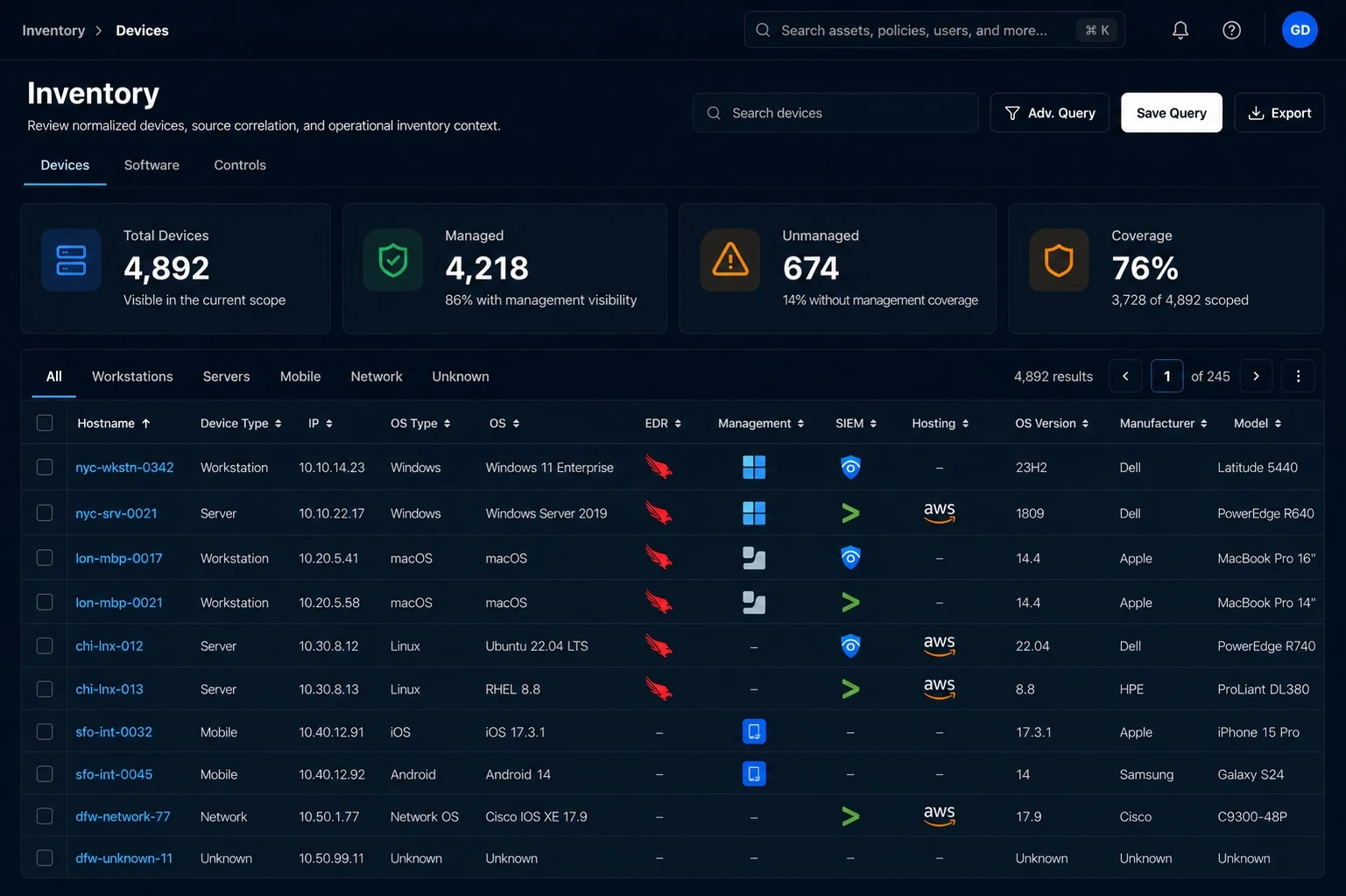
From visibility to investigation
An IT asset inventory brings together the devices and systems known to your organization. When tools report different names, attributes, or observation times, a combined list is only the starting point. GreyAware normalizes and correlates source records so your team can examine those differences in context.
Bring device information from supported integrations into a common inventory view, with the source records retained for investigation.
Use available identifiers such as hostname, domain, serial number, and network identifiers to find supported matches across sources.
Examine operating system, business unit, observed users, and control-source information where available. Check uncertainty and freshness before acting.
An investigation in practice
An inventory tool and an endpoint security tool report different hostnames for a Finance laptop. A matching serial number is useful evidence, but the record history and other identifiers still matter.
Illustrative workflow and sample data.
A shared identifier supports investigation. Confirm the record context before treating two observations as the same asset.
Review the hostname, serial number, and other available identifiers across the source records.
Determine whether an older name, stale record, or identifier conflict explains the difference.
Confirm the inventory interpretation before using the device in a coverage review, software investigation, or migration scope.
Evidence for the next decision
Inventory becomes more useful when it explains the device behind a finding. GreyAware connects available asset attributes and source relationships to the security and IT workflows that depend on them.
Explore the platformUse the device population and connected control records as the starting point for an EDR or other security control coverage review.
Review available software, operating system, and device details together. The supporting information depends on what your connected sources provide.
Use business-unit, location, and observed user associations to organize an investigation. Validate ownership when an association is historical, shared, or incomplete.
Plan your evaluation
Start with your tools, the evidence you need, and the decisions your team makes.
Read our privacy policyGreyAware normalizes records and correlates devices using available identifiers, while retaining source context. This helps teams investigate duplicate-looking records, conflicting attributes, and incomplete information. Accuracy still depends on source quality and the evidence available for a match.
Keep the source observations and their timing in view, compare the relevant identifiers and attributes, and review the basis for the inventory interpretation. A difference can reflect a renamed device, a stale observation, or an unresolved match; it should not be treated as a confirmed asset change without context.
The inventory described here is built from connected source data. A device absent from those sources may remain unseen. The demo can help identify which systems contribute device records and where additional discovery or source coverage is needed.
Freshness depends on each integration’s available data and collection cadence. Review the last-seen and source-observation context when deciding whether a record represents a current device. A record being present does not establish that the device is online.
Available device attributes support scoping and investigation by dimensions such as business unit, operating system, and device type. The usefulness of those views depends on how consistently the connected sources populate the attributes.
Inventory provides the device records and scope for these workflows. Source relationships help teams investigate observed control coverage, while device and software context can inform migration review. The inventory itself does not guarantee control effectiveness or migration readiness.
See GreyAware in context
Choose two tools, a device population, or a recurring data-quality question. We’ll explore the available identifiers, source evidence, and context for your team’s workflow.
Allow Google Analytics to use cookies to help us understand visits and improve the site. Your choice won’t affect contact requests. Privacy details