Security operations
Review coverage in the relevant device population and investigate the gaps with the highest operational importance.
 Request a demo
Control Coverage Visibility
Connect asset inventory with evidence from your security tools. Find potential EDR coverage gaps, understand what the sources show, and give your team a clear place to start.
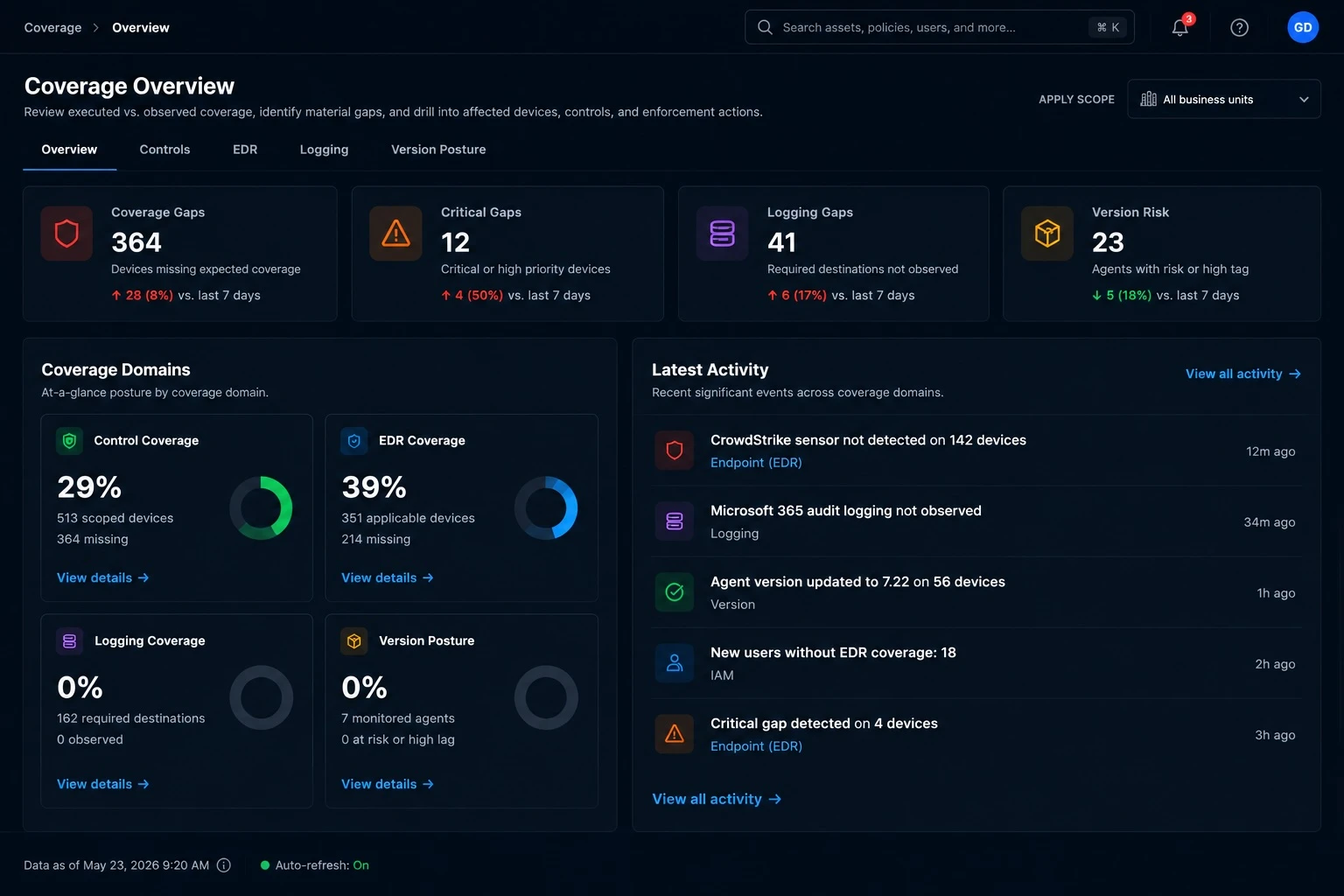
From visibility to investigation
Security control coverage describes whether the controls expected for a group of assets are observed in the available source data. GreyAware connects that view to the devices and integrations behind it, so a coverage percentage leads to a useful investigation.
Focus on the devices and control scope you intend to assess. Compare coverage across business units, operating systems, and other available inventory attributes.
Identify devices without a matching record in the selected control source. Keep applicability and incomplete device information in view.
Review the source and its freshness before deciding whether you have a deployment gap, a stale observation, or a record-matching issue.
An investigation in practice
A Finance laptop appears in asset inventory, but no matching endpoint detection and response record has been observed. Start with the device and the evidence before assigning a remediation task.
Illustrative workflow and sample data.
A missing source record does not, by itself, prove that the device is unprotected.
Compare its inventory identifiers and records from the connected tools.
Check the last observation and confirm whether the expected control applies to this device.
Give the endpoint team the evidence to verify deployment and follow its approved change process.
Evidence for the next decision
Security teams need a focused view of potential gaps. IT operations needs the device context to investigate them. A shared evidence trail helps both teams agree on what to check next.
Explore the platformReview coverage in the relevant device population and investigate the gaps with the highest operational importance.
Use asset and source records to distinguish deployment follow-up from inventory or integration data issues.
Explain the scope and evidence behind a coverage finding. Treat coverage as one input to assurance, alongside configuration review and control testing.
Plan your evaluation
Start with your tools, the evidence you need, and the decisions your team makes.
Read our privacy policyGreyAware compares devices in a defined control scope with records from the selected integration. Devices without a matching source record become candidates for investigation. The result depends on the scope, available identifiers, and source data.
Observed coverage shows that supporting source evidence exists. It does not by itself establish that a control is configured correctly, is operating as intended, or will prevent a threat. Review the relevant configuration and health evidence separately.
Coverage reflects the available integration data and evaluation. Freshness depends on the source and collection schedule. Review the latest source observation when investigating a gap; the demo can cover the data cadence for your tools.
The available coverage depends on the integrations, device information, and control scope configured for your environment. Bring your priority tools and device populations to a demo so we can confirm the relevant support and evidence.
Coverage asks whether an expected control is observed for the assets in scope. Drift detection asks what differs from an expected baseline or an earlier observation. Together they help you investigate both missing records and changed settings.
See GreyAware in context
Choose a control, a device population, and the tools you use today. We’ll walk through how to scope the comparison and investigate the available evidence.
Allow Google Analytics to use cookies to help us understand visits and improve the site. Your choice won’t affect contact requests. Privacy details