Product and version rules
Apply product assignments and rules for exact versions, version prefixes, or supported numeric ranges. Review the matched rule and the effective governance state.
 Request a demo
Software Inventory & Governance
Bring software products, versions, and device installations into one view. Apply your approval rules, inspect the reason behind a governance result, and identify the installations that need review.
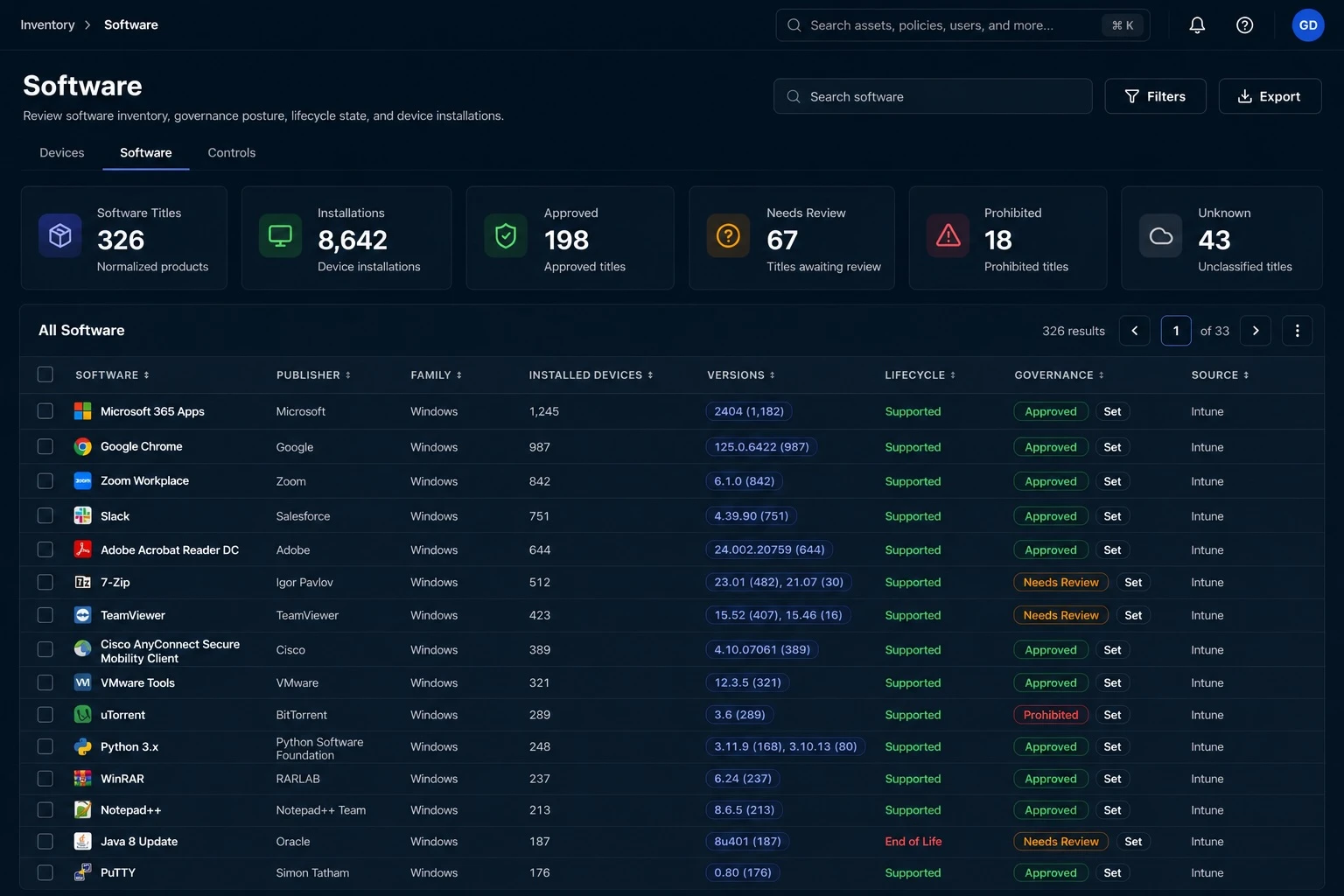
From visibility to investigation
Software inventory tells you which applications your connected sources report. Software governance adds the decision context: whether a product or version is approved for a given scope, what rule was applied, and where information is still missing.
Group supported source observations into software products and versions while keeping the associated device installations and source context.
Set product approval states and version-specific rules at the supported tenant, child-tenant, or business-unit scope.
Inspect approved, unapproved, prohibited, and unknown results with the matched rule and the reason for each evaluation.
An investigation in practice
A remote support tool is approved for a business unit, but an older version has been prohibited by an explicit version rule. Follow the evaluation to the affected installation before choosing the next action.
Illustrative workflow and sample data.
Governance reflects your configured rules and the observed installation. A prohibited result is not, by itself, a vulnerability finding or proof that the software is running.
Review the device, source record, and reported version. Check freshness and resolve inconsistent software identification.
Confirm the matching version rule, its scope, and the documented reason. Distinguish a policy decision from missing version data.
Work with the application or device owner to update, remove, or review the rule through your approved process.
Evidence for the next decision
Software decisions depend on more than a product name. GreyAware keeps available version, device, and policy context together so IT and security teams can assess the same installation.
Explore the platformApply product assignments and rules for exact versions, version prefixes, or supported numeric ranges. Review the matched rule and the effective governance state.
Review available lifecycle evaluations alongside approval states. Lifecycle and organizational approval answer different questions; check the matching rule and current vendor guidance when planning a change.
Connect the software result to its observed installations and devices. Use that context to scope an investigation and identify the team responsible for the next step.
Plan your evaluation
Start with your tools, the evidence you need, and the decisions your team makes.
Read our privacy policyGreyAware uses supported naming and alias rules to group source observations into product and version identities. The underlying source data remains important when names, publishers, or versions are incomplete or ambiguous. The demo can help evaluate how your source records are represented.
Yes. Product assignments and version rules support tenant, child-tenant, and business-unit scope. Version rules can match an exact version, a prefix, or a supported numeric range. Review the effective evaluation to see which rule and scope apply to an installation.
Unknown can mean there is no applicable product assignment or that a version-specific rule exists but the installation has no readable version. It is a prompt to complete the policy or source context, not an automatic approval or prohibition.
No. A matching version rule can produce a different governance result from the product assignment. For example, an explicitly prohibited older version can be identified even when the product is otherwise approved for that scope.
Lifecycle evaluations depend on available product and version context and the lifecycle rules configured in the platform. Inspect the evaluation and confirm current vendor support terms for the edition and version involved before making a support or upgrade decision.
The workflow described here focuses on observed installations, product and version governance, and available lifecycle context. License entitlement reconciliation and software deployment or removal are separate operational needs. Bring those requirements to the demo so we can define the supported scope.
See GreyAware in context
Choose a product, a version rule, or a device population. We’ll walk through the available inventory and how your team can investigate the resulting governance decisions.
Allow Google Analytics to use cookies to help us understand visits and improve the site. Your choice won’t affect contact requests. Privacy details