Account hygiene
Review stale-access and orphaned-account candidates with the lifecycle, activity, and correlation evidence available. Incomplete evidence stays a reason to investigate.
 Request a demo
Identity & Access Visibility
Bring accounts, application access, and associated devices into one investigation. Understand how access is assigned, review authentication observations, and identify accounts that need a closer look.
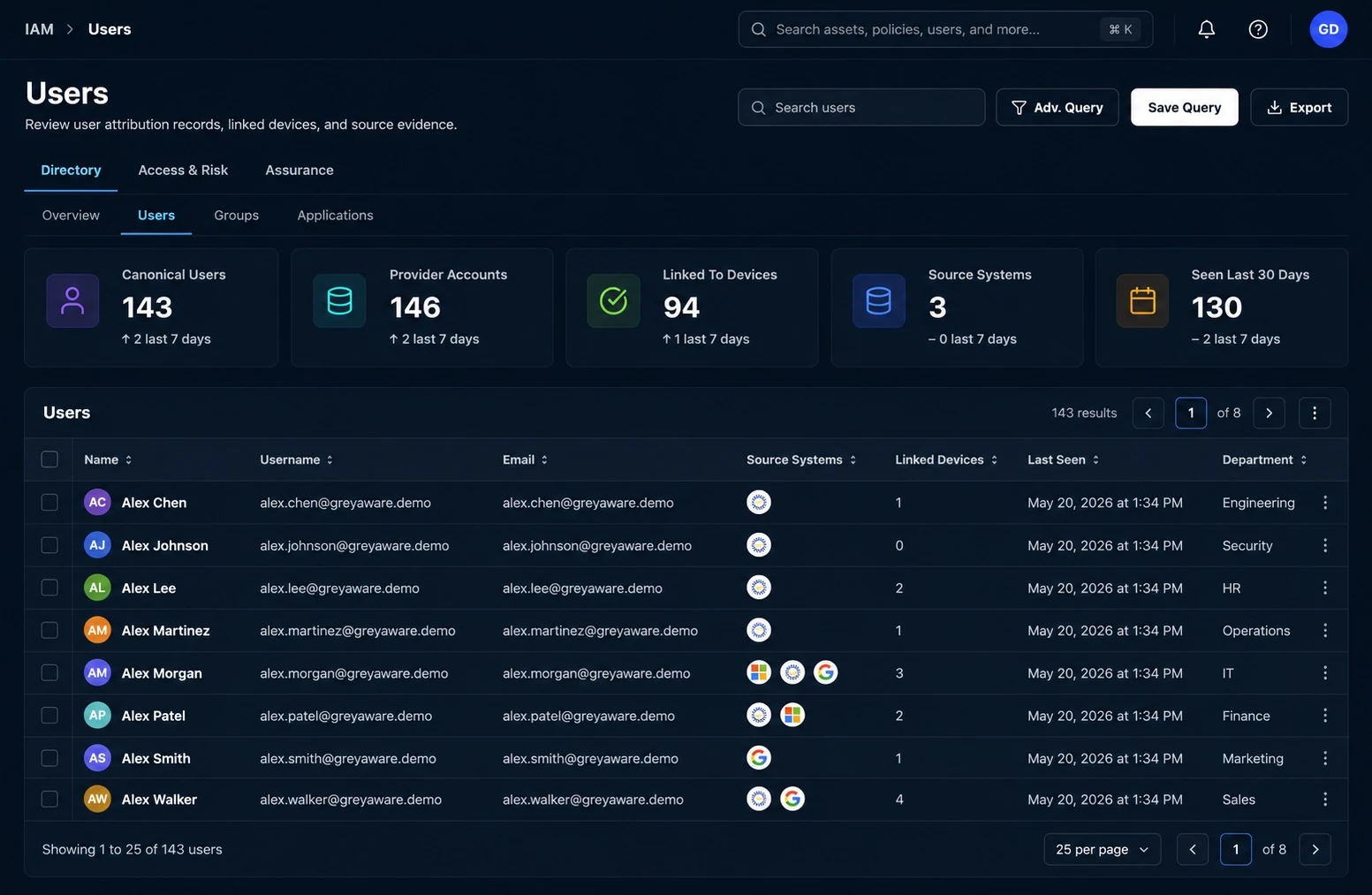
From visibility to investigation
Identity and access visibility connects the person or account to the applications, groups, and devices observed in your tools. GreyAware brings these relationships together with their source evidence, helping your team understand both the access it can see and the information still missing.
Bring supported provider accounts into a shared identity view. Keep the originating source and available lifecycle information attached to the record.
Review direct assignments and access derived through observed group relationships, where supported. Inspect the path and the data behind it.
Use account hygiene, MFA observations, and associated device context to identify what needs follow-up with the identity or application owner.
An investigation in practice
A provider account still has an observed application assignment, while its linked identity is marked deprovisioned. Compare the lifecycle records and access evidence before deciding whether removal is appropriate.
Illustrative workflow and sample data.
An observed assignment is evidence for review. It does not prove that a sign-in would succeed or that the access was used.
Review the account-to-person match, lifecycle state, and source observation times.
Identify the application and available direct or group-derived access path. Confirm the current state with the source owner.
Validate the business need, then use your approved identity process to remove access or document why it remains.
Evidence for the next decision
An account’s access is easier to assess when the surrounding evidence is visible. GreyAware connects supported identity relationships with device context so security and IT teams can investigate together.
Explore the platformReview stale-access and orphaned-account candidates with the lifecycle, activity, and correlation evidence available. Incomplete evidence stays a reason to investigate.
Review the MFA state reported by a provider and when it was observed. Confirm enforcement separately for the application and sign-in conditions that matter.
Connect identities to available device and control evidence. Check the strength and recency of the association before treating it as a current relationship.
Plan your evaluation
Start with your tools, the evidence you need, and the decisions your team makes.
Read our privacy policyGreyAware uses available account identifiers and source relationships to connect provider records with a shared identity. Matching depends on the data supplied by each integration. Review ambiguous or incomplete identity context before relying on an association.
For supported sources, GreyAware represents direct assignments and access derived from observed group relationships. The view depends on the relationships collected and the derivation supported for that provider. It is not a universal test of every permission or sign-in condition.
No. A provider’s MFA enrollment or factor observation is one part of the authentication picture. Application policies, exceptions, and sign-in conditions determine enforcement. Review those separately before concluding that access requires MFA.
Account hygiene evaluations use available lifecycle, access, activity, and identity-matching context to identify review candidates. Missing activity or an unresolved identity does not automatically mean an account should be disabled. Shared and service accounts may need different review context.
This visibility workflow helps your team investigate account and access evidence. Access removal should follow your approved identity-management process after the owner confirms the current state and business need.
Available records and relationships depend on the integrations and permissions configured for your environment. Bring your identity providers and priority applications to the demo so we can confirm the relevant data, support, and collection cadence.
See GreyAware in context
Bring a provider, an application, or an account lifecycle scenario. We’ll walk through the supported relationships and the evidence your team can use to review access.
Allow Google Analytics to use cookies to help us understand visits and improve the site. Your choice won’t affect contact requests. Privacy details